


MoveTo
4.7118.00 Reviews
App Specs
- Version
- 11.0.4
- Updated On
- License
- Free
- Downloads
- 100,000+
- Developer
- Real Geeks, LLC
- Categories
- House & Home
- Platform
- Android
Screenshots
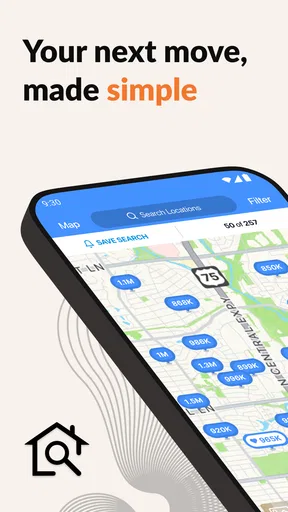


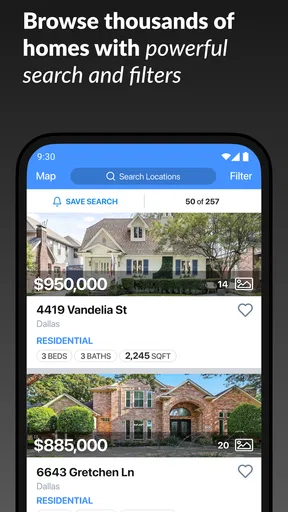

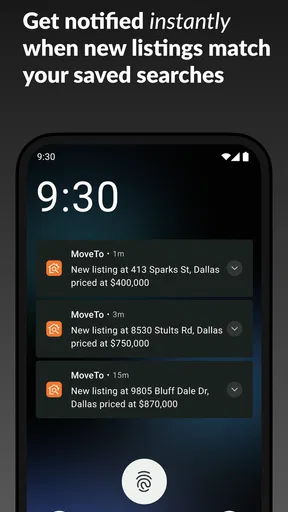
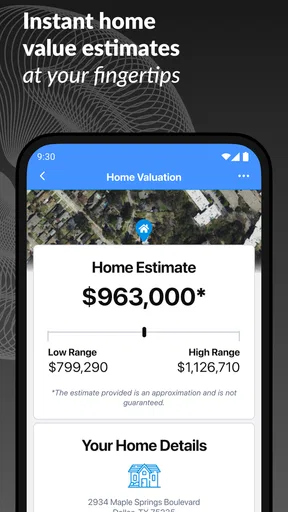
 Analysis by AppCompare
MoveTo is the kind of home app that makes the most sense when you already have a relationship with a real estate agent and want that relationship to continue on your phone. I found its appeal less in being a giant property-search database and more in creating a personalized place to follow a home journey with one agent. That distinction matters: it can feel focused and useful during an active move, but its lasting value depends heavily on whether you are still buying, selling, or planning a move.
Developed by Real Geeks, LLC, this free House & Home app is aimed at ordinary home shoppers and sellers rather than technical users. Its Everyone content rating makes it approachable for a household where several people may need to stay informed. The current release is version 11.0.4, and the app requires iOS or Android 12 or newer, so checking your phone’s software before downloading is a sensible first step.
What the first week feels like
During the first week, the strongest part of MoveTo is the sense of direction it can give to an otherwise scattered process. A home search often spreads across messages, saved browser tabs, email threads, calendar notes, and conversations with an agent. A personalized agent-connected experience has the potential to bring that activity closer together, which is especially helpful when you are comparing homes while also trying to remember what your agent said about each one.
I would recommend starting with a clear purpose rather than downloading it simply because you are curious. If you are actively viewing homes, preparing to sell, or discussing a move with an agent, the app has an obvious role. If you are only browsing casually, the initial novelty may be pleasant, but there may not be enough ongoing activity to make it part of your daily routine.
The first useful habit is to treat the app as a conversation companion, not as a replacement for every other home tool. Keep your questions about neighborhoods, timing, financing, inspections, and next steps organized around the homes or decisions that matter most. That approach reduces the temptation to use it as another endless scrolling destination and makes its personalized connection more valuable.
A realistic example is a couple looking at homes after work. One person notices a property that seems promising, while the other is concerned about commute time and renovation work. Instead of relying on memory later, they can use their agent-centered home journey as the place to keep the conversation moving. The benefit is not just convenience; it is having the same context available when both people are ready to discuss the next decision.
That said, I would not assume the app alone answers every practical question about a property. A home journey involves documents, professional inspections, lender conversations, legal details, and local research. MoveTo works best as one focused layer in that process. For broad market exploration, a large property marketplace may offer a wider range of listings and discovery tools. For private group planning, a notes app or shared task list may still be easier.
Worth Reading Before You Choose

EA SPORTS FC Mobile 26 Is a Bigger Football Game, but It Takes Time

Flipboard Shows What News Apps Must Do Beyond the Feed

Switching to Android Auto Means Rethinking Your Driving Routine

Google Calendar Makes a Crowded Week Easier to Manage

Ludo King Makes the Most of the Minutes Between Plans

Baby Panda World Brings Quick Play to Modern Phones, but Its Game Library Feels Busy
The app’s public reception suggests that many people find this focused approach worthwhile. It holds a 4.7 average from around 1.2 thousand ratings, with more than a hundred written reviews, and has passed the 100 thousand install mark. Those figures do not turn it into the right choice for everyone, but they do indicate that the basic idea has found a meaningful audience.
Where the personalized approach helps
The central advantage is context. Generic real estate services tend to treat every visitor as a broad market shopper. MoveTo is more useful when your situation is specific and you want your agent to remain part of the workflow. That can make the experience feel less anonymous, particularly for people who become overwhelmed by too many listings and too many disconnected sources of information.
I also like the possibility of using it as a decision filter. Instead of saving every attractive home, I would narrow attention to properties that fit the conversation already happening with the agent. This creates a more deliberate search pattern: identify what matters, review suitable options, ask targeted questions, and then decide whether a viewing or follow-up is worthwhile.
One non-obvious trade-off is that personalization can improve relevance while reducing independence. If you are still deciding which agent to work with, or if you want to compare several agents without committing to one relationship, a general-purpose property app may be better. MoveTo earns its place when trust and continuity matter more than having a completely neutral browsing environment.
Does it keep earning space after the first month?
The answer depends on where you are in the moving cycle. In the early search stage, regular use can make sense because new questions and choices appear frequently. Once the search slows down, the app needs to offer enough continuing value to avoid becoming another icon that you open only when a notification or message reminds you.
For buyers, month-to-month value can come from maintaining a shared understanding with the agent. A move is rarely one decision. It is a sequence of changing priorities: location, budget, size, condition, timing, and willingness to compromise. A personalized journey can remain useful when those priorities need to be revisited rather than decided once.
For sellers, the value is more situational. The app may be most relevant while preparing the property, discussing positioning, and staying aligned with the agent’s process. After the home is sold, its place in your routine naturally becomes less certain. That is not a flaw unique to MoveTo; it is a consequence of being built around a major life event rather than a daily household task.
I would judge its recurring value by asking one practical question: does opening it help me make the next home-related decision? If the answer is yes, keep it available. If the move has paused indefinitely and you are only checking it out of habit, there is little reason to force a monthly routine. A good app should earn attention through usefulness, not through guilt.
One helpful workflow is to review your priorities before contacting your agent. Write down the two or three issues that could genuinely change your decision, then use the app conversation to address those points. This is more effective than sending a stream of general reactions. It also creates a clearer record of why a property appealed to you or why you rejected it, which can prevent the search from circling back to the same unsuitable options.
Another useful habit is to involve the person who will share the home decision. If one partner uses the app and the other relies entirely on separate messages, information can still become fragmented. A shared review rhythm, even if it is only a quick check before discussing a property, helps the personalized experience serve the household rather than just the most active searcher.
There is also a timing trade-off. People who enjoy browsing homes for months may prefer a broad marketplace with constant discovery. MoveTo is more compelling when browsing is connected to a real plan and an identifiable agent. Its strength is not endless novelty; it is reducing distance between the searcher and the person guiding the move.
What maintenance actually involves
The maintenance burden is moderate, but it is mostly behavioral rather than technical. The app becomes useful only when you keep your information and conversations current. That means responding when an agent needs a decision, revisiting saved priorities, and avoiding the habit of leaving every property in the same undifferentiated state.
I would not install it and expect the app to organize the entire move automatically. A home search still needs personal judgment. You need to remember which compromises are acceptable, verify details independently, and keep track of tasks that may sit outside the app. MoveTo can support the relationship, but it cannot remove the responsibility of making a careful housing decision.
The simplest maintenance routine is a short weekly review while the search is active. Look at what still interests you, remove options that no longer fit, and prepare specific questions for the agent. This prevents the personalized journey from turning into a digital storage box filled with outdated possibilities. It also makes each future conversation more efficient.
A second routine is to separate emotional appeal from practical fit. Homes can look exciting in photographs, especially when you are tired of searching. Before treating one as a serious candidate, compare it with the priorities you have already discussed. If MoveTo helps you keep the agent conversation close to that comparison, it adds genuine value. If you use it only to reinforce first impressions, it may encourage more browsing without better decisions.
For users with limited phone storage or older devices, the operating-system requirement deserves attention. The app is free, but free does not mean every phone can run it. Anyone using an older handset should confirm compatibility before building a moving routine around it. This is a small point, but discovering it after an agent expects you to use the app would be avoidable friction.
Privacy and communication expectations are also worth discussing directly with your agent before relying on the app. I would clarify which conversations should happen there, which documents or decisions require another channel, and how quickly replies are normally expected. That conversation prevents a common mistake: assuming that an app-connected relationship means every part of a property transaction is handled inside one screen.
Where fatigue can set in
The biggest source of fatigue is repetition. Looking at homes is exciting at first, but after enough unsuitable properties, even a personalized experience can feel like another stream demanding attention. If the app becomes a place where you repeatedly review options without moving closer to a decision, its usefulness will decline quickly.
Agent dependence can create another kind of friction. The experience is designed around connection with an agent, so its quality may vary with the responsiveness, communication style, and working habits of that person. If your agent prefers phone calls, responds slowly, or does not keep the digital conversation active, MoveTo may feel less valuable even if the underlying concept suits your needs.
This is why I would not choose the app as the main reason to choose an agent. The agent’s local knowledge, honesty, availability, and ability to explain difficult choices matter far more. MoveTo can make a good working relationship easier to manage, but it cannot turn a poor relationship into a good one.
Another fatigue point is tool overlap. Many people already use a property marketplace, messaging app, email, calendar, notes, and cloud storage. Adding one more destination can create the opposite of organization if you do not decide what belongs where. My advice is to give MoveTo a defined job: use it for the personalized agent-connected home journey, while keeping broader research and formal records in the tools that already handle those tasks well.
There is also a risk of losing perspective when the app keeps the move constantly present. Home decisions can affect finances, routines, family relationships, and stress levels. If checking the app becomes a reflex rather than a purposeful action, set a boundary around when you review it. A focused session is usually more useful than repeated checking throughout the day.
People who should probably skip it are casual browsers with no active agent relationship, renters who are not considering a purchase or sale, and users who want a completely independent property-search experience. They may get more from a general listing service, a budgeting tool, or a simple notes system. MoveTo is not trying to be all of those things at once, and that narrowness is both its identity and its limitation.
How it compares with familiar alternatives
Compared with a large property-search app, MoveTo feels more relationship-centered and less like a public catalog. The usual marketplace is better for discovering a wide range of homes, comparing broad areas, and browsing without an established agent. MoveTo is better suited to the stage where a specific person is helping you interpret choices and move from interest toward action.
Compared with ordinary messaging, the app offers a more purpose-built setting for the home journey. Messaging is flexible and familiar, but important details can disappear beneath unrelated conversations. MoveTo’s focused identity may make the exchange easier to revisit. The trade-off is that another communication channel can become inconvenient if your agent or household already has a system that works.
Compared with a notes or task app, MoveTo has a more direct connection to the agent relationship, while notes offer greater control over how you structure research. I would use notes for private comparisons, questions I am not ready to send, and household planning. I would use MoveTo when the next step involves the agent. That division keeps each tool from being asked to do a job it was not designed to handle.
For someone selling a home, a general marketplace may provide broader exposure and a different kind of public-facing discovery. MoveTo’s value is more personal: coordinating the journey with the agent. For someone buying, the choice depends on whether the priority is finding everything available or making a guided search more manageable. Neither approach is universally better.
Who gets the most from it
I think MoveTo is strongest for first-time buyers who want a clearer line to their agent, households making decisions together, and people who feel overloaded by unstructured home research. It can also suit experienced buyers who already know that the difficult part is not finding another listing but deciding which opportunities deserve attention.
It is less convincing for someone who wants to browse privately, compare several agents at once, or keep every part of the process inside a single universal platform. It is also not ideal for users who dislike maintaining a digital workflow. The app can reduce scattered communication, but only if you participate consistently.
The free price removes an obvious financial barrier, which makes trying it reasonable when an agent invites you into a personalized home journey. Still, the real cost is attention. Before keeping it installed, notice whether it saves time, improves questions, or helps your household agree on next steps. If it does none of those things after the active search settles, the app has probably completed its useful chapter.
My long-term verdict
After the novelty fades, MoveTo earns lasting space when a move is active and the agent relationship is central. Its recurring value comes from continuity, not entertainment. I appreciate that distinction because many home apps are excellent at attracting attention but less helpful at supporting the slower work of comparing priorities and communicating clearly.
My recommendation is to use it deliberately: define what the app is for, keep your questions focused, review your priorities regularly, and maintain separate tools for broad research or formal records. Do not expect it to replace professional advice, independent checking, or household discussion. Instead, use it as the organized bridge between those activities and your agent.
MoveTo has earned a 4.7 average and a substantial installed audience because its focused idea clearly works for many people. For me, though, its real test is practical: does it make the next home decision easier? When the answer is yes, it is a worthwhile companion during a demanding process. When the move is only a vague possibility, or when your preferred workflow already works without it, the app may become unnecessary background clutter.
In short, MoveTo is most valuable as a purposeful communication and decision companion, not as a permanent household utility. I would recommend it to anyone actively working with an agent and willing to maintain a simple routine. I would skip it when independence, broad discovery, or a single all-purpose planning tool matters more than a personalized agent connection.
Pros
- Simple interface makes daily movement tracking easy.
- Encourages healthier habits through regular activity reminders.
- Useful progress insights help users stay motivated.
- Works well for setting personal movement goals.
- Suitable for beginners who want a straightforward fitness app.
Cons
- Some features may require continuous location or motion access.
- Battery usage can increase when tracking activity in the background.
- Progress data may feel limited for advanced fitness users.
- Reminder frequency may become distracting for some users.
- Accuracy can vary depending on device sensors and permissions.
FAQs for MoveTo
What is MoveTo, and what can I use it for?
MoveTo is a mobility-focused application designed to help users plan, manage, and improve their journeys. Depending on the location and available services, it may provide route planning, transport information, trip organization, or access to mobility options. Before downloading, check whether MoveTo supports your city, preferred transport methods, and the specific features you expect to use.
Is MoveTo available on both Android and iOS devices?
MoveTo may be available for Android and iOS, but compatibility can depend on the exact version of the application and your device’s operating system. Before installing, review the requirements listed on the official Google Play Store or Apple App Store page. Keeping your phone updated is also recommended, since older devices may not support every feature or receive the same performance.
Does MoveTo require an account, location access, or an internet connection?
Some MoveTo features may work without registration, while personalized services, saved trips, bookings, or synchronized information can require an account. Location permission is commonly useful for accurate route suggestions and nearby services, although you may be able to enter locations manually. An internet connection is generally recommended because maps, schedules, traffic details, and service availability can change frequently.
Is MoveTo free to download and use?
The application may be free to download, but certain mobility services, bookings, tickets, subscriptions, or premium options can involve additional charges. The exact pricing depends on your region and on the providers connected to MoveTo. We recommend checking the app’s payment information, cancellation rules, and any applicable service fees before confirming a purchase or relying on it for an important journey.
Is MoveTo reliable for planning everyday trips?
MoveTo can be useful for organizing everyday travel, but its accuracy depends on the quality and freshness of local transport, map, and service data. Delays, cancellations, traffic, weather, or provider changes may affect the information shown in the app. Use MoveTo as a helpful planning tool, verify critical details with the relevant transport operator, and allow extra time when traveling to appointments or airports.


